There is no way to interact with the camera over the network by default. The flash chip contains the entire OS, application, and config. By dumping it, I was able to get offline access and view more information on the camera than is exposed by default.
- Connected CH341A Mini-Programmer to PC
- Using a SOP8 adapter in ZIF Connector (on CH341A) in the 25xx side
- Clipped SOIC8 adapter clip onto W25Q64JV flash chip
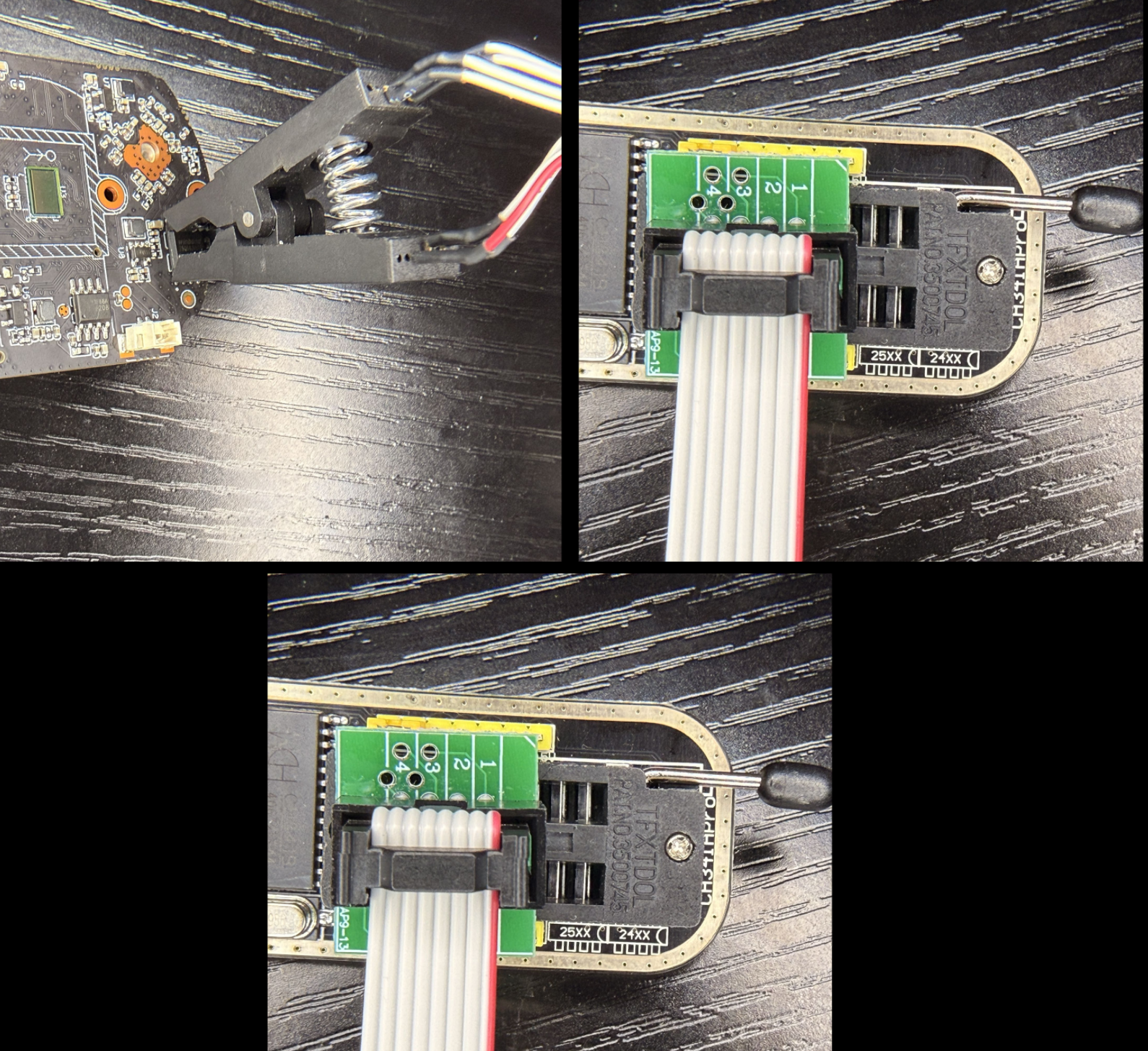
- Using AsProgrammer, searched for W25Q64JV, set hardware to CH341A, plugged USB into computer, and hit “Read IC”

- The flash was read multiple times, saving each output. Compared SHA256 hashes to confirm two matching bin files (successful reads- exact same duplicate misreads are unlikely, and all FF FF FF or 00 00 00 is easy to verify)
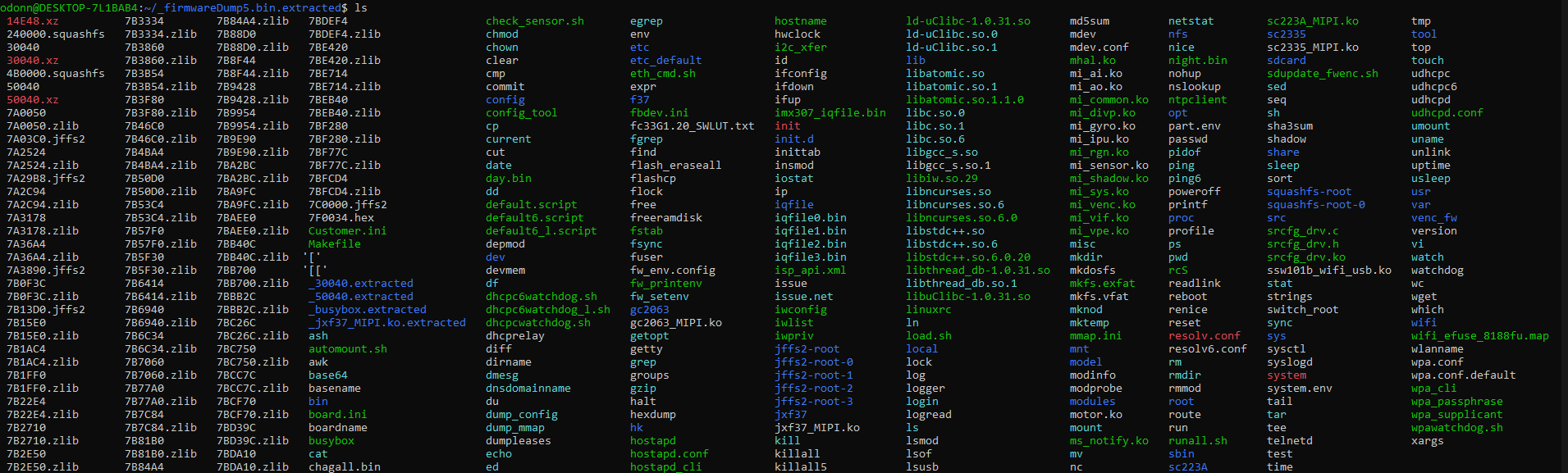
- Full filesystem:
- Finding Credentials:
- From the filesystem, there are some key files:
- File Contents
- The value in
shadowcan be broken down to:root= user$1$= algod4.uNxFN= salt0pEViwVp/r2FObKP/LfTE0= hash15874= date- days since epoch 1970
Values in Files
| Path | Key Value(s) |
|---|---|
squashfs-root/system/system.env | SUPPORT_DISABLE_CONSOLE=y |
squashfs-root-0/vendor.env | VENDORENV_ENABLE_TELNETD |
squashfs-root-0/conf/base_conf.ini, squashfs-root-0/conf/base_para.ini, squashfs-root-0/conf/a31-101b_blurams_A0_conf.ini, squashfs-root-0/conf/a31-101b_blurams_A0_para.ini | [auth] key=1111111111111111 |
start_debug.sh | auth key above is key to ukey |
squashfs-root-0/conf/a31-101b_blurams_A0_conf.ini | MouldeID=A31_SS_IPC |
Partitions
| Partition Name | Starting Address | Approximate Size | Description |
|---|---|---|---|
| U-Boot | 0x00000000 | 320KB | Bootloader. First thing that runs when powered on. Initializes hardware, finds and loads kernel. |
| Kernel | 0x00050000 | 1.9MB | Gets loaded into RAM by U-Boot, initializes drivers (wifi chip, motor controllers, GPIO pins), mounts the filesystem, and starts init process. |
| RootFS | 0x00240000 | ~2.5MB | Base OS. BusyBox. Squashfs means it is compressed and is read only. |
| User | 0x004B0000 | ~3MB | Application partition. Camera specific code. viCam binary, boot scripts, config files |
| MTD/Config | 0x007A0000 | 320KB | jffs2 partition. Writable partition designed for flash chips that handles wear leveling and maintains state from power loss. |
| Factory | 0x007F0000 | 64KB | MAC address, Serial number, calibration data, device identity, etc. |
Searching the binary for useful terms
bash strings squashfs-root-0/vicam/viCam | grep -i "cloud\|server" -
CloudApp::ICloudApp
N8CloudApp9ICloudApp8IFactoryE
CC_REGISTER_SUCCESS
CC_SERVER_STATUS_OFFLINE
ICloudApp is a C++ interface
CC_REGISTER... “cloud connect”(?) what the device does on success/fail of connecting to the cloud?
in squashfs-root-0/boot/autoboot.sh:
THIS_DIR=`dirname $0`
cd ${THIS_DIR}/boot
find ./ -name S\*|sort|sed 's/\(.*\)/\1 start/g'|xargs -r -n2 sh
Runs all S## scripts in order:
S00tzS01passwdS06chksdS07devinfoS20telnetS97dm.DmRunS97speechS98modulesS98ntpS99dotstart
Telnet Root from Flash Dump
S20telnet:
THISDIR=`dirname $0`
source ${THISDIR}/../vendor.env
[ x"${VENDORENV_ENABLE_TELNETD}" = x"yes" ] || exit 1
case "$1" in
        start)
                echo "Starting telnetd ... "
                                telnetd > /dev/null 2>&1 &
                ;;
        stop)
                echo "Stopping telnetd ... "
                killall telnetd
                ;;
        restart)
                $0 stop
                sleep 1
                $0 start
                ;;
        *)
                echo "usage: $0 {start|stop|restart}"
                ;;
esac
exit
Checks vendor.env if VENDORENV_ENABLE_TELNETD=yes exists, by default it doesn’t → Telnet never starts
Modifying vendor.env to have the line needed to start telnet, enables telnet.
To get around the telnet password requirements:
Changing telnetd > /dev/null 2>&1 & to telnetd -l /bin/sh > /dev/null 2>&1 & makes telnetd use /bin/sh as the login program instead of /login. Just a shell with no auth